
Commissions Groups within Smart Commissions enable you to organise commission rules that apply to specific Publishers so can create commission schemes tailored to your specific program needs.
For example, if you want to create a different set of commission rates for CPC publishers versus Voucher publishers, you could create a group containing CPC publishers, and another containing Voucher publishers.
Any commission rule that is aimed at a specific list of publishers needs to be created within a Commission Group.
To prevent Commission Rules clashing, Publishers can only exist within one Commission Group at a time, and so Commission Group memberships cannot overlap.
Commission Groups are different from Publisher Groups (which are used to organise Publishers for communication). Publishers can exist in multiple Publisher Groups.
Create the Group
Within the ‘Manage Groups’ tab, click 'Create commission group', which will open a window for you begin the creation of your Commission Group. Start by adding a name for your Group, and selecting a colour so that you can quickly and easily recognise the Group when viewing your commission overviews and timeline.
Add Publishers to the Group
You can then Add Publishers to the Group from within your program, by searching for Publishers within your program. You can also filter by Channel type, your Publisher Groups, and by any existing Commission Groups.
Manage your Groups
To view and manage your groups, explore your ‘Manage groups’ page and see your current Groups, both those currently with active commission rules, and inactive commission rules.
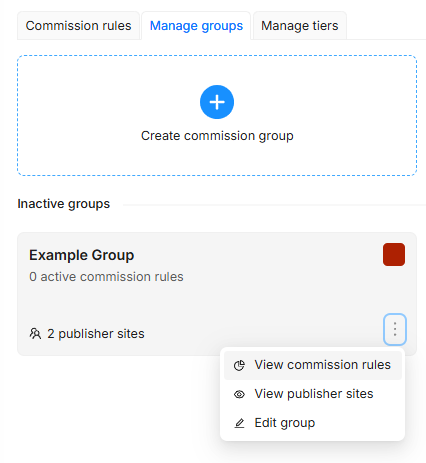
View which publishers are part of that group, and edit as necessary.
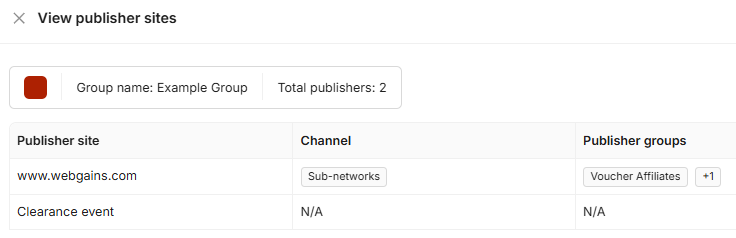
You can also view the commission rules currently set up for that commission group, and jump to the timeline view with the group as a filter, so you can quickly and easily see which commissions are active/scheduled for those publishers.
