
Commission Tiers let you vary rates and reward publishers based on monthly performance or transaction basket value.
Adding tiers makes your program more attractive, giving publishers goals to earn extra commission or bonuses. Incentive thresholds should be achievable and worthwhile.
Within the Smart Commissions tool, you can create multiple custom Tiers, selecting the tier criteria and the commission awarded, with multiple tier levels if desired. Then, when creating your new Commission scheme, you can quickly and easily select your pre-made Tier to use.
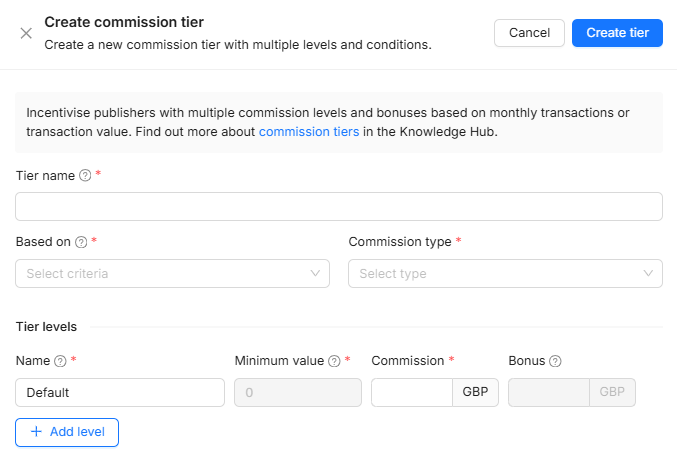
You can create Tiers either within the commission rule creation directly, or within the ‘Manage tiers’ page.
Monthly Performance Commission Tiers
Monthly commission tiers allow you to vary the commission based on the number of transactions, revenue or commission achieved within a calendar month.
When creating the tier, select which criteria it should be based on:
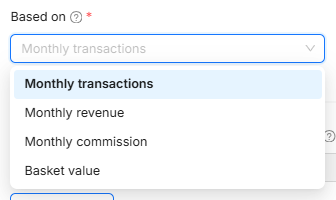
Each tier has multiple and a minimum threshold value that signals when transactions are awarded commission at different rates.
For example, using a monthly transaction tier, if you wanted to award 2% commission for the first 100 transactions in the month and 3% for all transactions after this. You could create a set of tiers like this:
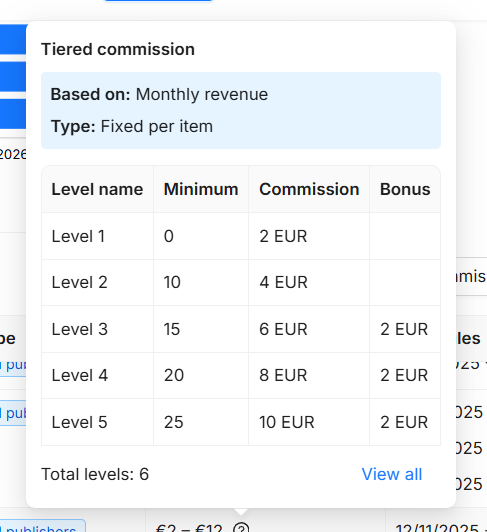
As well as varying commission, you could also choose to pay a one-off bonus when a publisher reaches a certain number of transactions.
The values for these monthly commissions are reset at the beginning of each month.
These values/targets are calculated for each individual publisher. I.e. each publisher on the rule must individually meet the tier threshold before they receive the bonus/reach the higher Level.
Basket Value Tiering
Basket value tiers are based on the value of individual transactions. For example, if you wanted to commission at different rates for transactions above the value £50, and then again above the value of £100. You could set up a set of tiers like this:
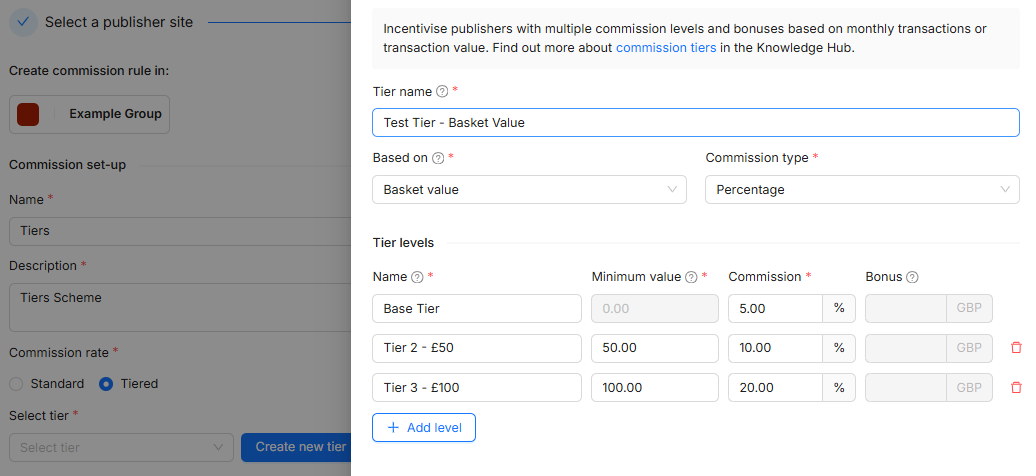
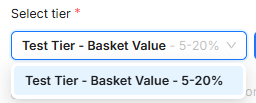
and then easily drop the tier into your commission rule.
Manage Tiers
Create, manage, and edit all of your program Tiers within the ‘Manage tiers' page.
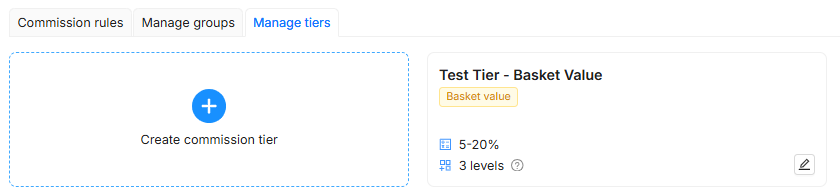
This way, you can organise and manage your various tiers efficiently, so they are then ready to be quickly dropped into your commission rule as needed.