
Within our Smart Commissions tool is the option to apply commission to Product Categories (i.e. Google Product Categories). This means you can apply a specific commission rate to a whole product category.
The Product Categorisation will rely on Product Level Tracking, as well as a functional Product Feed uploaded within your advertiser program, as we will identify the Categories from the feed’s google_product_category column.
Please note, as per Webgains Product Feed requirements, the feed must adhere to Google Product Category specifications. For more information please view: https://support.google.com/merchants/answer/6324436?hl=en&sjid=4002122127875851262-EU
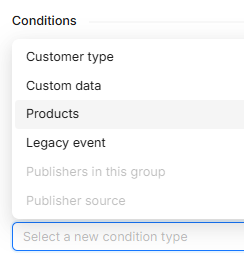
When creating your Smart Commission scheme and selecting the Conditions, click Products:
Then select Product Categories:
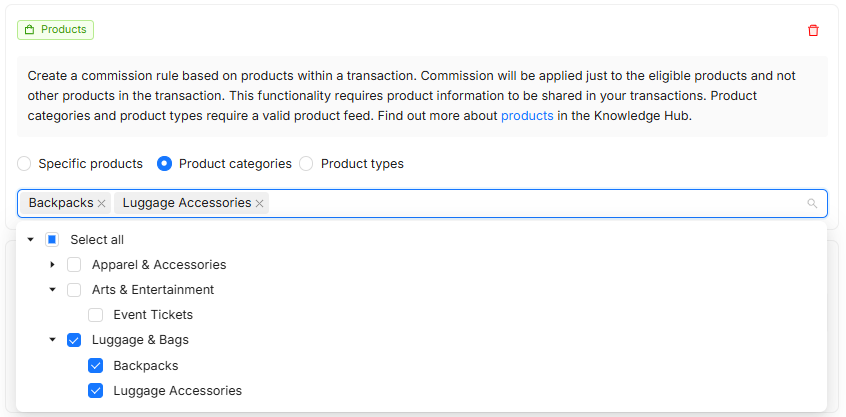
The list of categories will be generated based on the categories provided within the program’s supplied product feed/s.
Any products that track within a transaction that match the selected category (and adhering to any other rules applied to the commission scheme, according to priority order) will apply this Commission.
Please speak to your account manager if you are unsure about your product level tracking, as this is crucial for the commission to apply, as it will match the tracked ItemID to what rules are set up in your commission scheme.