
New! Upload your Vouchers in Batch
Our new Batch Voucher Upload feature is designed for brands that need to issue large volumes of single‑use voucher codes quickly and securely.

Instead of uploading vouchers one by one, you can now download and complete a simple template file, and then upload hundreds or thousands of vouchers in a single batch straight into the platform.
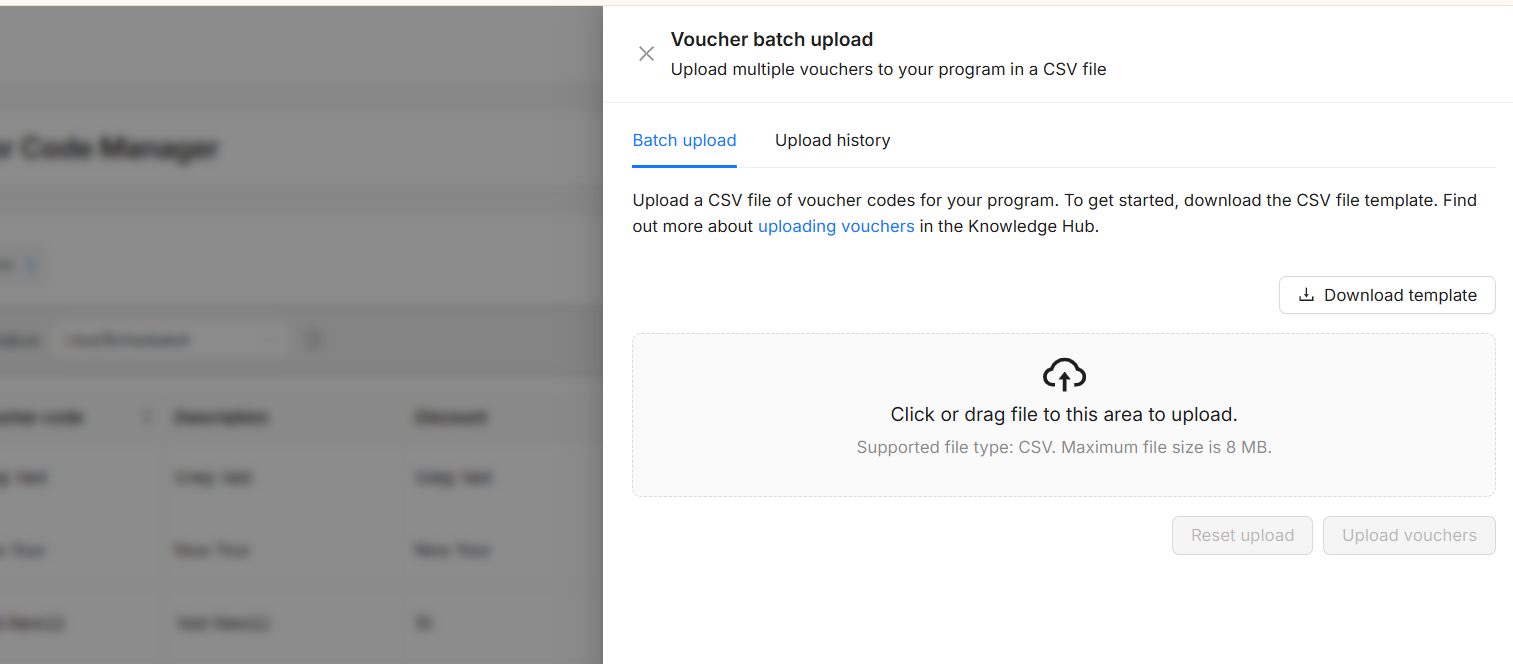
This feature is designed for clients who regularly work with high voucher volumes, helping to enable:
-
Faster campaign activation
Quickly supply large code sets for time‑sensitive promotions, flash sales, or partner pushes—without waiting on manual processing. -
Ideal for closed user groups
Easily support partners that require unique codes per user, such as health worker discounts, student programs, or employee benefits platforms. -
Stronger control and security
Use single‑use, non‑shareable codes to protect your margin, and prevent codes leaking beyond the intended audience. -
Reduced manual workload
Cut down on repetitive data entry by managing codes in structured batches.
For full guidance on uploading Vouchers in bulk, please view: How do I upload Vouchers to my program? | Uploading Vouchers in Bulk
Also now added within the advertiser platform…
Customer Type Reporting
The advertiser platform Performance Report has been updated to include an option that allows users to report on the Customer Type.
This new feature enhances the report's capabilities by providing more detailed insights into the different categories of customers interacting with the platform.
There is a new filter option available on the report pages, which allows users to refine the reports based on tracked Customer Types, improving the customisation and relevance of the data presented.
Additionally, the Customer Type information also appears as a dedicated column on the Details tab.
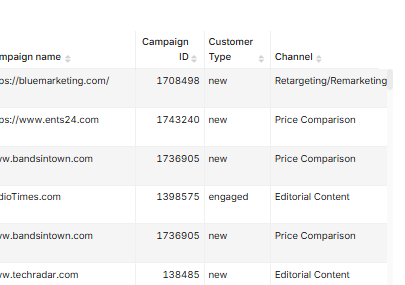
Reminder: advertisers will need to send us the Customer Type within their tracking, in order to be able to report on this data. If tracked within transactions, the relevant data will be collected and displayed in the report.