Stay informed without leaving the platform
We are introducing a new notifications experience on the Webgains platform, available to all users. Important updates about your programs, campaigns, and account will appear in one place - and you can choose how you want to be notified.
What’s new:
-
In-platform notifications - See updates in the platform as they happen, with a notification centre you can open any time.
-
Email notifications - Receive clear, branded emails when something needs your attention, with a direct link back to the platform.
-
Notification preferences - Control which updates you receive by email. Some critical alerts are always delivered so you do not miss them.
For Advertiser & Agency Users
If you manage programs on Webgains, either as an advertiser or agency user, you can receive notifications about:
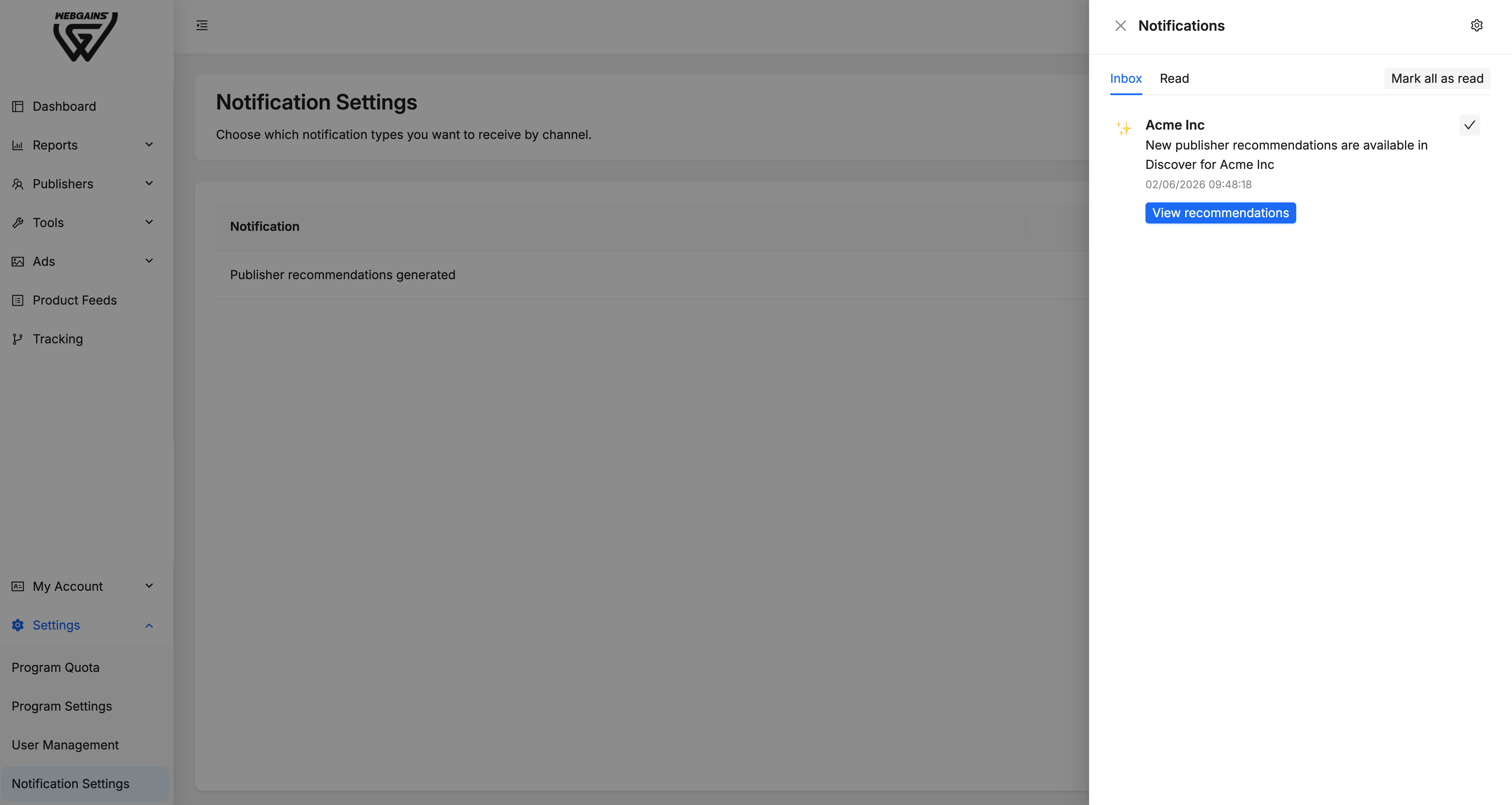
New Publisher Recommendations
When new publisher recommendations are ready for one of your programs, we will notify you so you can review suggested publishers and decide which opportunities fit your program.
For Publishers
If you run campaigns on Webgains as a publisher, you can receive notifications about:
New Program Recommendations
When new program recommendations are ready for your campaign, we will let you know so you can review suggested programs and choose the right opportunities.
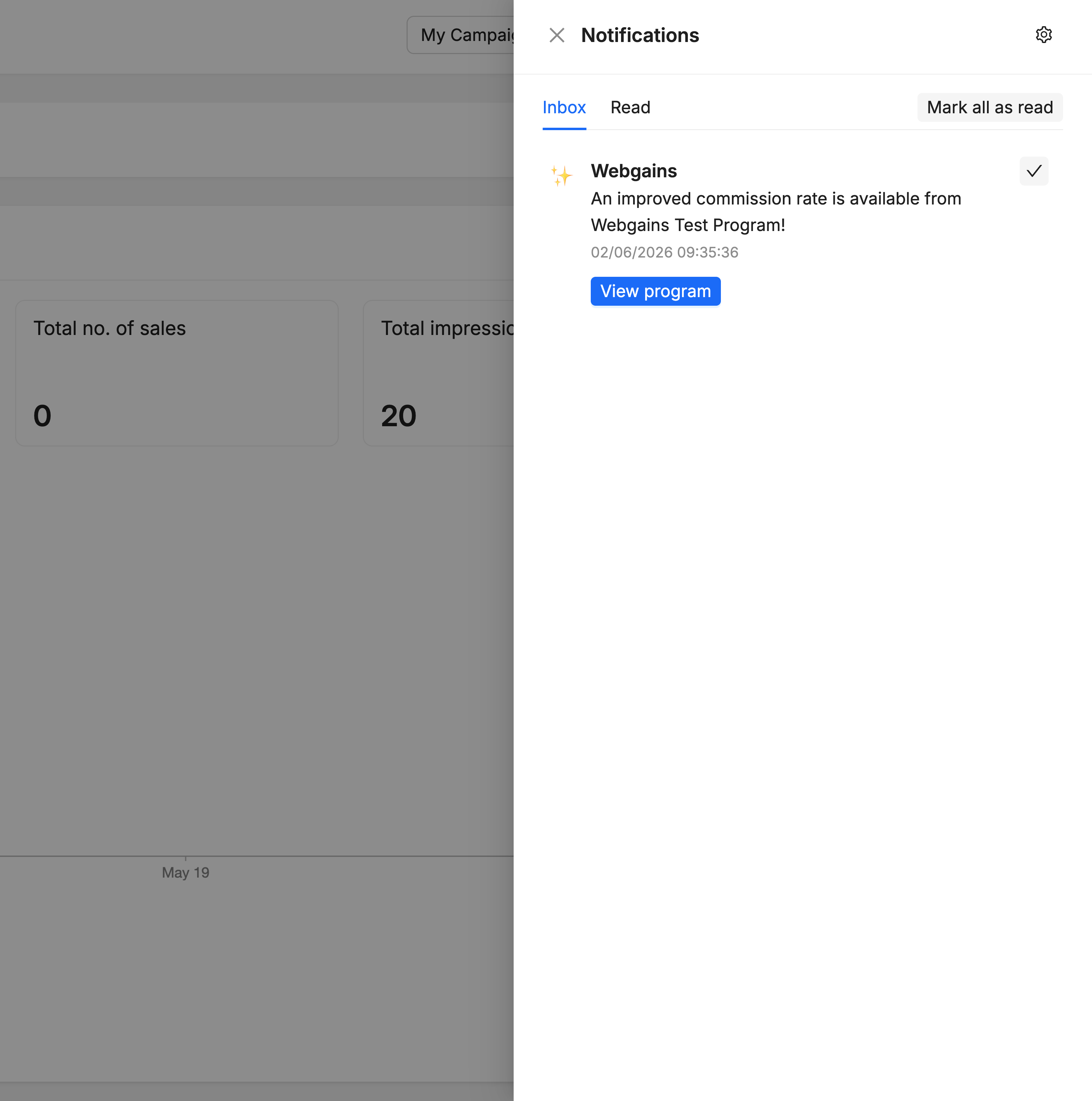
When a temporary Commission Increase is available
When a program has offered you an increased commission rate, we will notify you so you can review the Smart Commission details in the platform and start preparing to promote the program.
If your Publisher account is suspended
If your publisher account is suspended by Webgains, we will notify you immediately. This is treated as an urgent, account-critical update.
Managing your Notifications
Use the bell icon in the header bar to open your notifications and notification preferences. From there you can:
-
See your latest notifications, newest first
-
Tell which items you have already read
-
Open the relevant area of the platform from a notification (for example, Discover or Smart Commissions)
Email
You can choose which emails you receive using notification preferences in the platform, or by selecting Manage my subscriptions in the footer of any notification email.
Account Settings
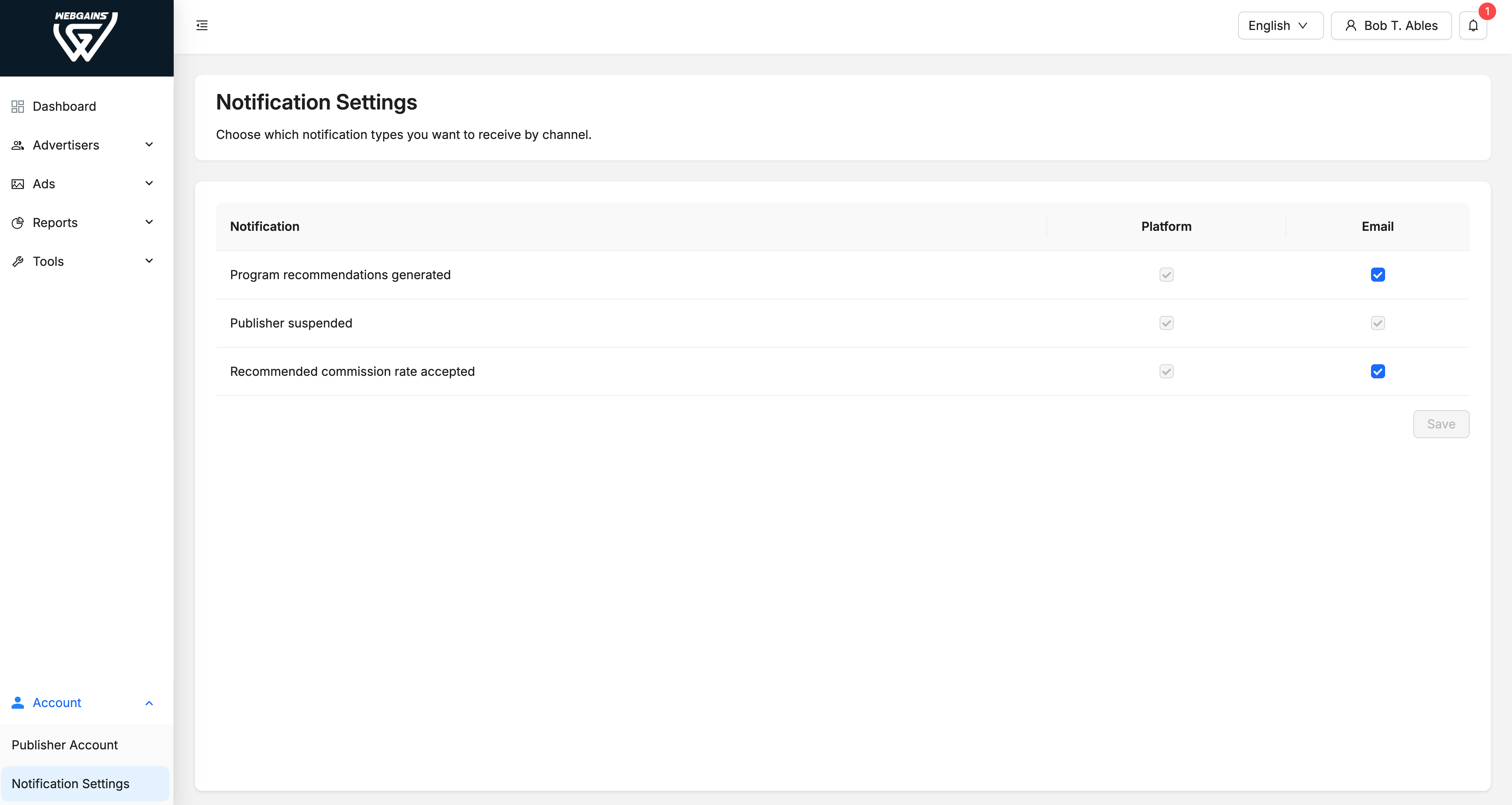
Within your Webgains account Settings, you can managing your Notification Settings accordingly.
This is just the beginning of our new notifications system within the Webgains platform. We're committed to helping you manage your program effectively and stay well informed, and so we’ll be adding more platform notifications over the coming months.