
We have expanded the Program Settings area within the advertiser platform to include Keyword Policy & Restrictions, as well as making some other adjustments to ensure your program settings and preferences are optimised.#
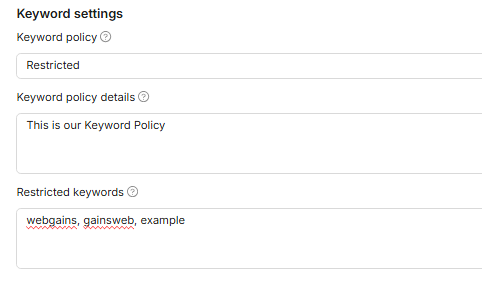
Keyword Settings
Use the updated Marketing Channels and Keywords tab in Program Settings to clearly define your PPC rules and keyword restrictions for publishers.
The former Marketing tactics tab is now called Marketing Channels and Keywords. Inside the tab, Marketing tactics is now Marketing Channels.
What this means for advertisers
You can now manage PPC permissions and restricted keywords in one place, making it easier for publishers to understand which paid search activity is allowed on your program.
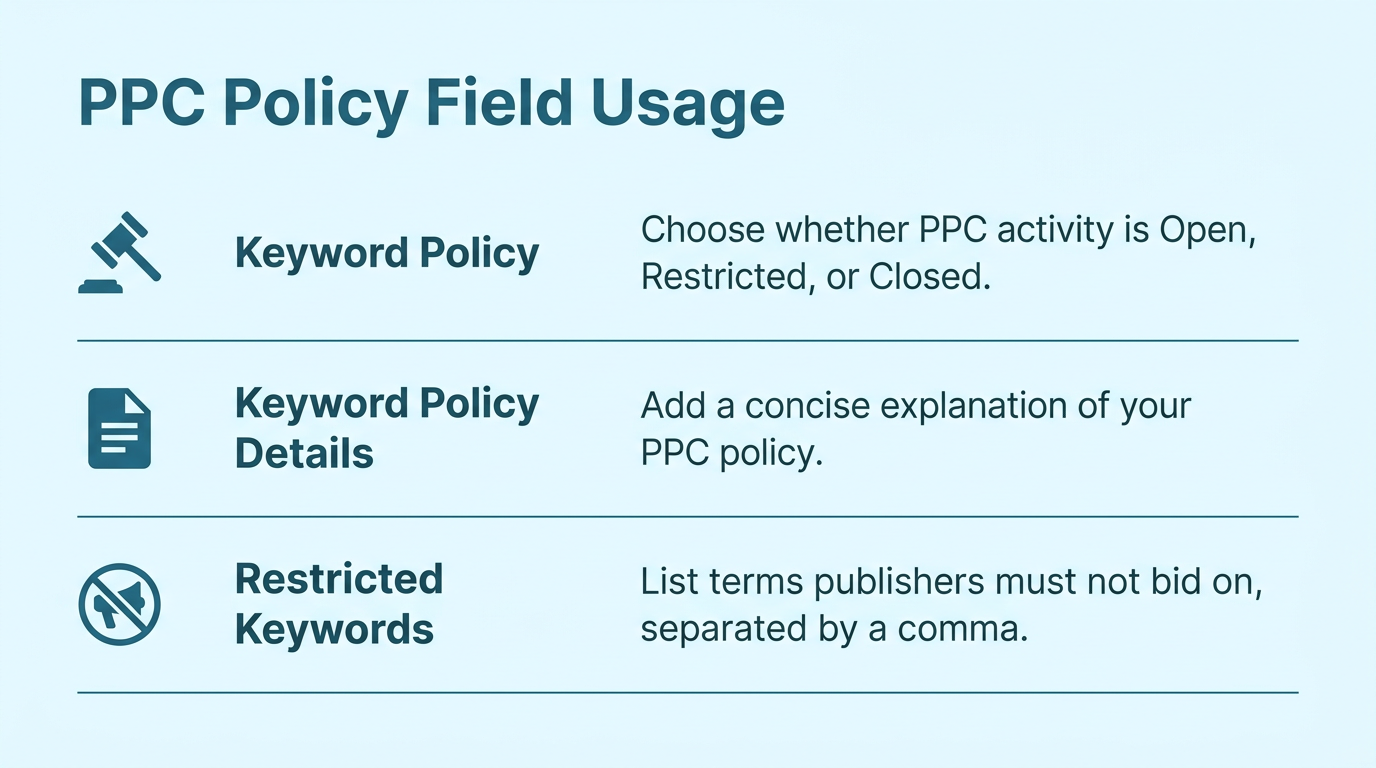
How to set your PPC policy
-
If you exclude the SEA (PPC) channel type, Keyword Policy automatically changes to Closed and cannot be edited.
-
When PPC is closed, publishers will see: “PPC activity is not permitted on this program”.
-
If you include SEA (PPC), Keyword Policy defaults to Open. You can change it to Restricted if you allow PPC only under specific conditions.
-
For Open or Restricted policies, enter and save keyword restriction details that reflect your program rules.
What is a PPC Policy?
OPEN
Publishers may bid on all brand keywords, misspellings, and related search terms without restriction.
RESTRICTED
Publishers may not bid on specified keywords, including brand names, misspellings, and restricted terms.
CLOSED
Publishers are prohibited from all PPC bidding and paid search activity for this program.
These updates give you more control over how publishers promote your program through paid search. Clear PPC permissions and keyword restrictions help protect your brand, reduce ambiguity, and make program rules easier for publishers to follow.
Changes to Publisher Invites for excluded Marketing channels
We now verify each publisher’s chosen site marketing channel against the advertiser’s program preferences before allowing a request to join.
Publishers will be unable to view programs that don’t work with their specific marketing channel. For example: if you program doesn’t allow SEA (PPC) activity, Publishers of that type won’t be able to view your program.
If for some reason the Publisher is able to find your program, they will be blocked from joining it.
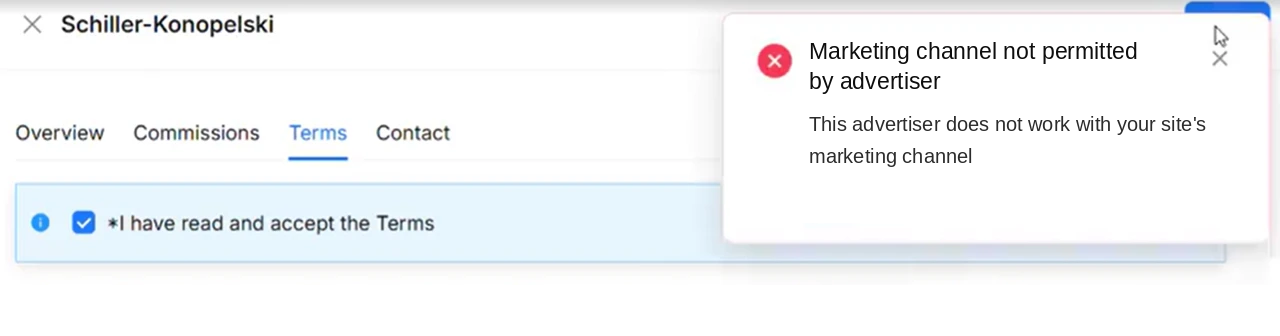
Advertisers keep control: though the excluded channels cannot join, advertisers can still invite publishers of those types via Publisher Search to make exceptions.
This gives clients greater confidence that their program preferences are being respected during publisher self-serve journeys, while still keeping the door open for advertiser-led invitations where a client chooses to work with a publisher outside their standard accepted marketing channels.
Program Settings: Overview Tab Update
The Overview tab now gives you a clearer view of the program details that support sign-up and ongoing program management. These fields will be configured during program setup. Review these settings to make sure your program information is complete, accurate, and ready for affiliates to assess.
-
Terms and Conditions: Add the plain-text terms affiliates must agree to when they apply to your program. Keep the wording clear and easy to follow.
-
Category: Confirms the category assigned to your program during setup so affiliates can understand where your program fits.
-
Cancellation rate: Shows the percentage of transactions that may be cancelled within a 30-day period.
-
Support level: Shows the support level assigned to your program.
-
Currency: Shows the currency used for your program transactions.